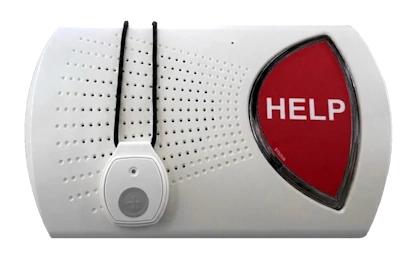
Two different ways to connect.
| Question | At-home system | Mobile system |
|---|---|---|
| Where does it work? | Within range of the home base station. | Where the supported cellular network reaches the device. |
| How do you speak? | Often through the base station; confirm your model. | Commonly through the wearable itself. |
| What connection? | A landline or a cellular-enabled base, depending on configuration. | Cellular service; location features may also use GPS. |
| What routine? | Check base-station power, backup and button range. | Keep the wearable charged and check reception where you spend time. |
Configurations vary. Match these questions to the exact device, not just the provider’s name.
Start with the rooms you actually use.
Ask how the base connects, whether your telephone service is compatible, and how to test the button from the bathroom, bedroom, garden and stairwell. A published range is not a promise that a signal will pass through every wall.
For example, Life Assure’s Classic Home order page requires a landline. Lifeline describes both landline and cellular configurations for HomeSafe. Confirm which one is being quoted.
Check the places beyond the front door.
Ask about cellular coverage at home and on regular routes, how the location feature behaves indoors, and what happens if the device cannot establish a connection. Check the wearing and charging instructions with the provider.
A device sold in Canada does not automatically work outside Canada. Lifeline says its On the Go service cannot monitor subscribers abroad. Ask explicitly before a trip.
Build the choice around a normal week.
If coverage is mainly needed at home, compare home configurations and test their range. If walks, errands or visits are part of the week, compare mobile configurations too. Include the person who will wear it in the decision: comfort, ease of use and charging are part of the product.
Keep the shortlist broad until you have address-level coverage and complete price information.
Compare medical alert plans
Compare Canadian providers, devices, published fees and service terms.
Compare medical alerts